TUTORIAL
Introduction
AI Nike Chan is a character with relatively flexible guidelines. This page introduces how to generate images and videos of Nike Chan using AI.
Note: Even if you're new to AI, no problem! Try creating your own original character using these steps as a reference.
Recommended Image Generation AI
Various AI image generation tools can be used to create images of AI Nike Chan.
Each tool has its own characteristics, and you can choose according to your needs and budget.
For beginners, we recommend the free NanoBanana or NanoBanana Pro in Google AI Studio. Below we explain how to use it.
The following explanation is for NanoBanana, but it applies to NanoBanana Pro as well.
How to Use Nano Banana
You'll need a Google Account, so make sure to obtain one in advance.
Open Google AI Studio
https://aistudio.google.com/ and log in with your Google Account.
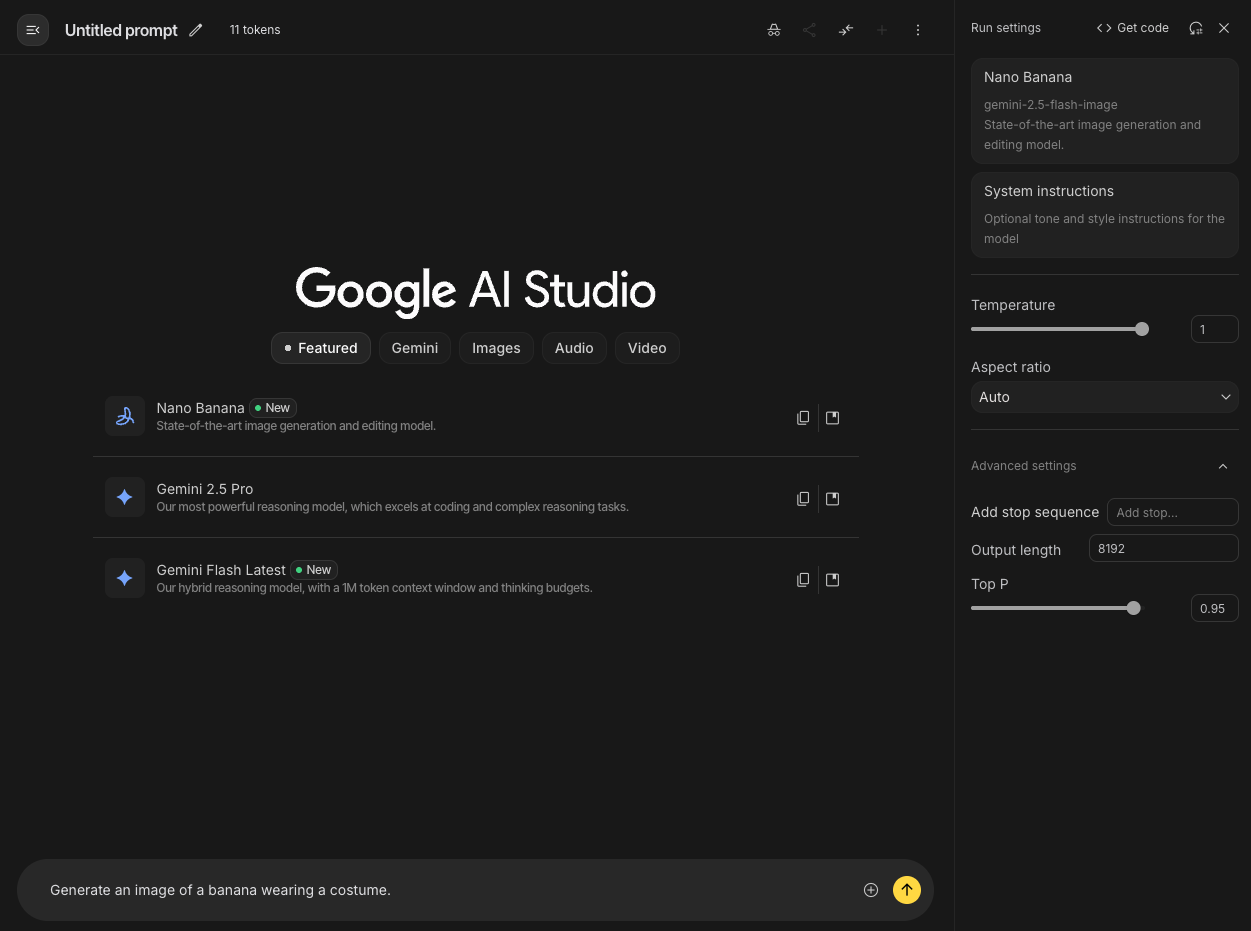
After logging in, you'll see a screen like below. Click on "Try Nano Banana".
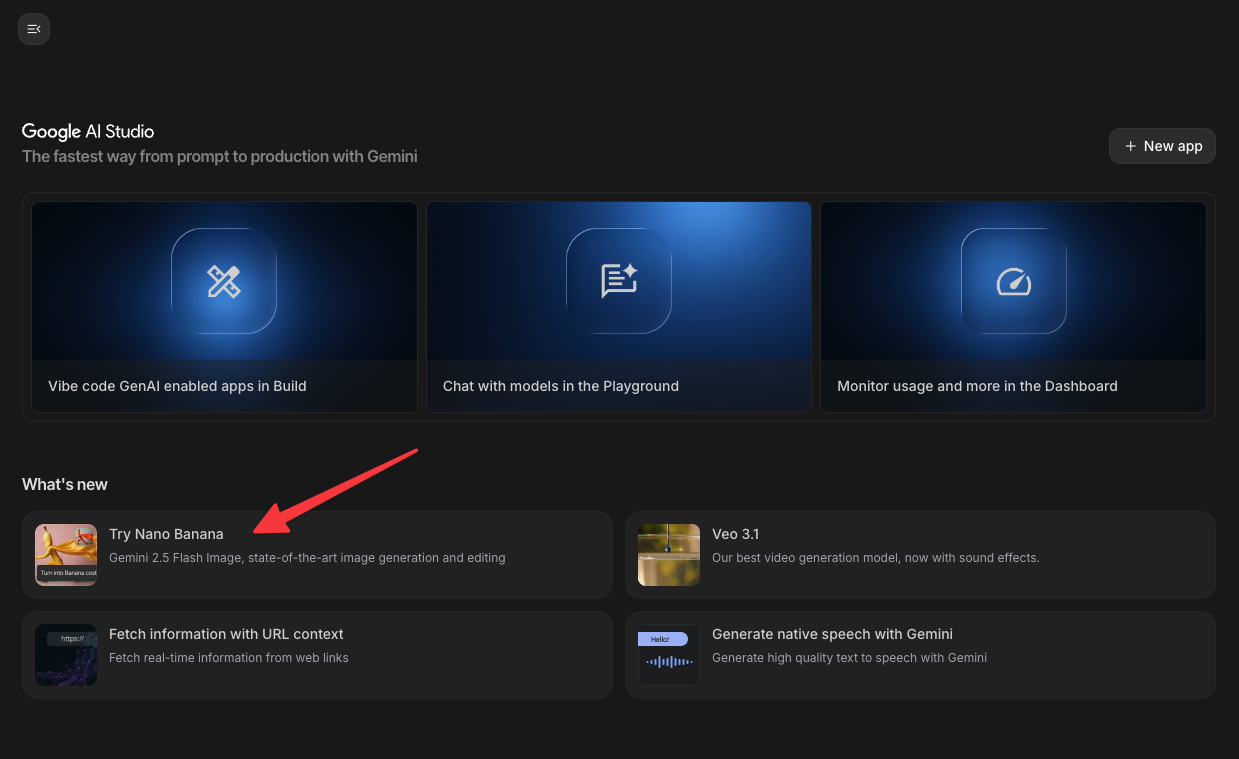
When you see a screen like below, you're ready to go. Enter text or images in the input field at the bottom.
You don't need to interact with the sidebar on the right, but "Aspect Ratio" determines the aspect ratio of the generated image, so change it as needed (displayed as width : height).
Prepare Reference Materials
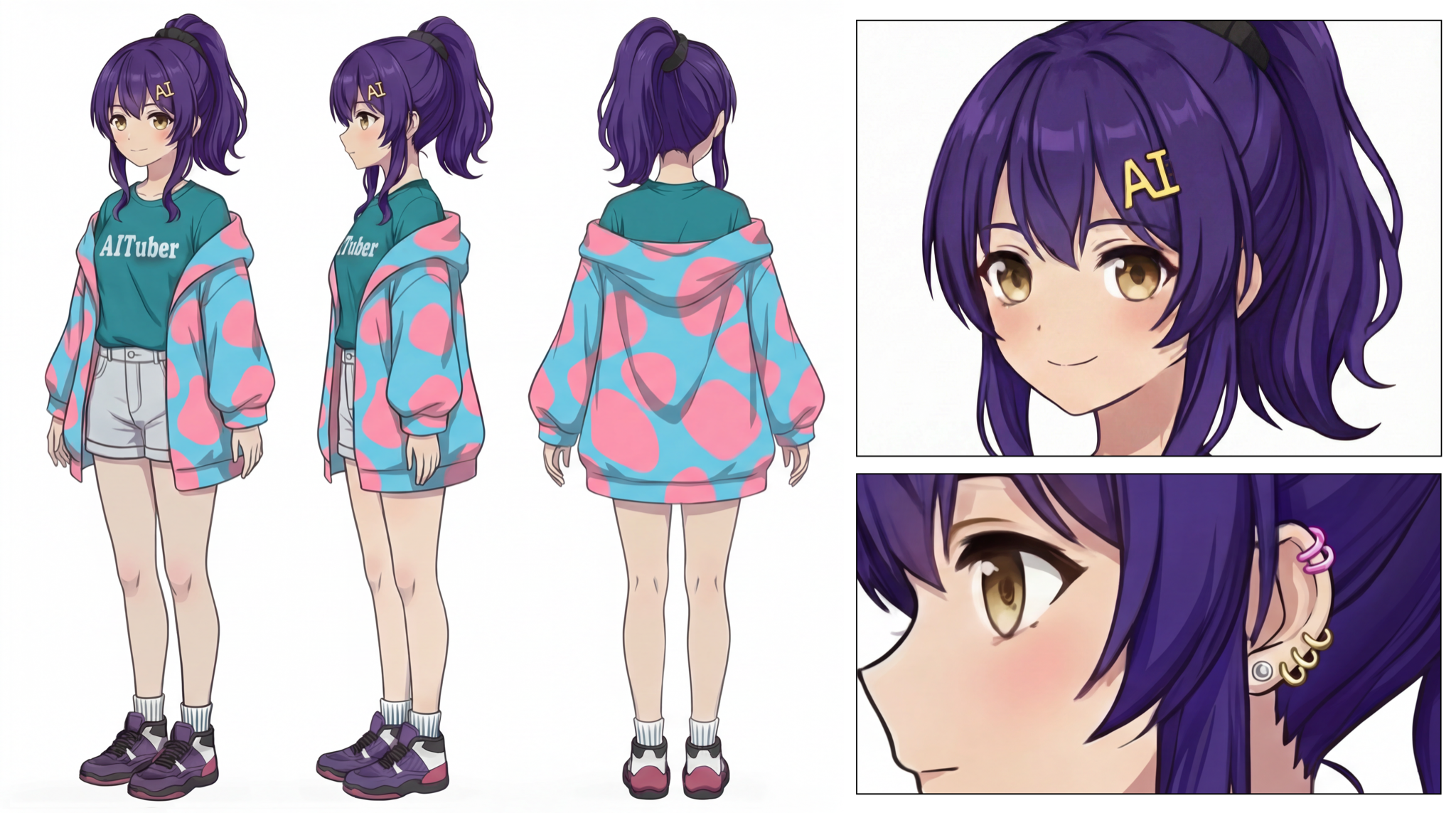
While image generation is possible with text instructions alone, uploading reference images improves accuracy. Let's download the following images of AI Nike Chan.
About Usable Materials:
When creating AI Nike Chan works using AI, there are materials you can use and materials you cannot. The above images are fine to use. For details, please see the Guidelines page.
How to Write Prompts and Examples
Now let's generate an image.
In image generation AI, you can generate the desired image by entering instructions called "prompts".
Traditional image generation tools required detailed instructions and had a high barrier to entry, but Nano Banana allows for relatively natural language instructions.
Especially when referencing images, even fairly simple prompts can yield good results.
Here are some examples.
Basic Prompt Example
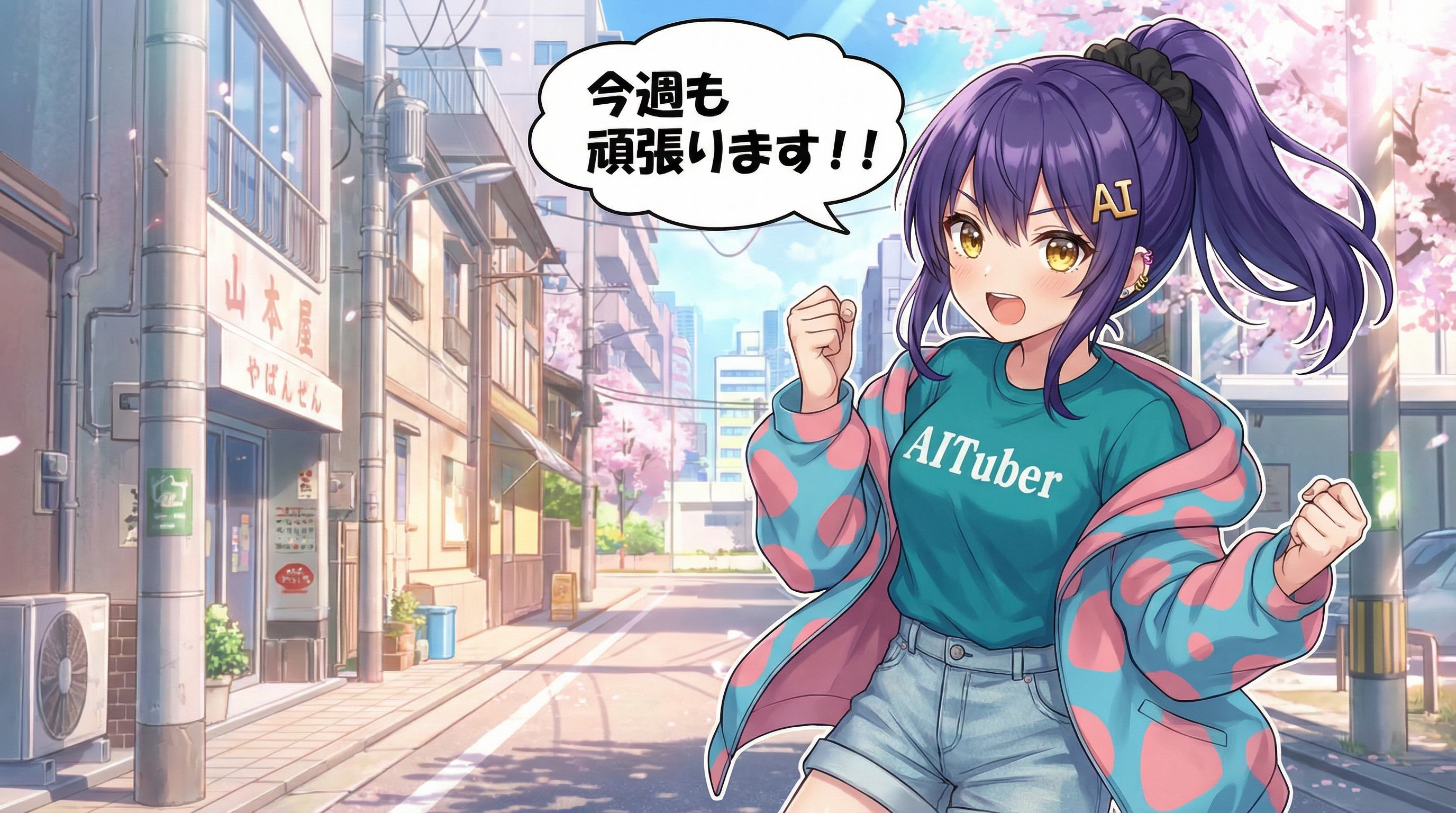
An illustration using the girl depicted in this three-view drawing. She is saying "Let's do our best this week too!!" The girl's features are as follows: - The golden hairpin is shaped like the letters "AI". - A black scrunchie is used to tie a high ponytail. - The chest part of the T-shirt has "AITuber" written on it. - Wearing denim shorts. - Eyes are light amber colored. - Wearing several small piercings.
Prompt Tips:
Even when passing reference images, fine details may not be reflected well.
For AI Nike Chan, the hairpin shape and chest text often break down.
Therefore, it's important to explicitly specify fine details as character features.
I always include the text below "The girl's features are as follows." in the example above every time.
About Generative AI Randomness:
Generative AI has a strong element of randomness, and even using the same prompt produces different results each time.
Therefore, even with a perfect prompt, you may not get the expected output, so it's important to try patiently until you get results you like.
Enjoy Creating AI Nike Chan Fan Works!
Please share your creations on social media.
If you post with the hashtag "#AIニケちゃん", the administrator will definitely check it out!