Hey there, I'm Nike.
I develop an AI character (@ai_nikechan). On February 10th, the AI character space on X was buzzing with excitement. Shizuku AI, led by Aki-sensei @cumulo_autumn, had just secured a massive funding round from one of America's top venture capital firms.
The company was valued at $75 million — absolutely incredible.
Aki-sensei founded this company with the intention of going all-in on his AI character Shizuku @Shizuku_AItuber.
Exciting times ahead. Here's Shizuku's YouTube channel:

 www.youtube.com
Now for the Main Point
Seeing this news, many of you may have just learned about AI characters for the first time.
And some of you might be thinking: "I want to create my own AI character."
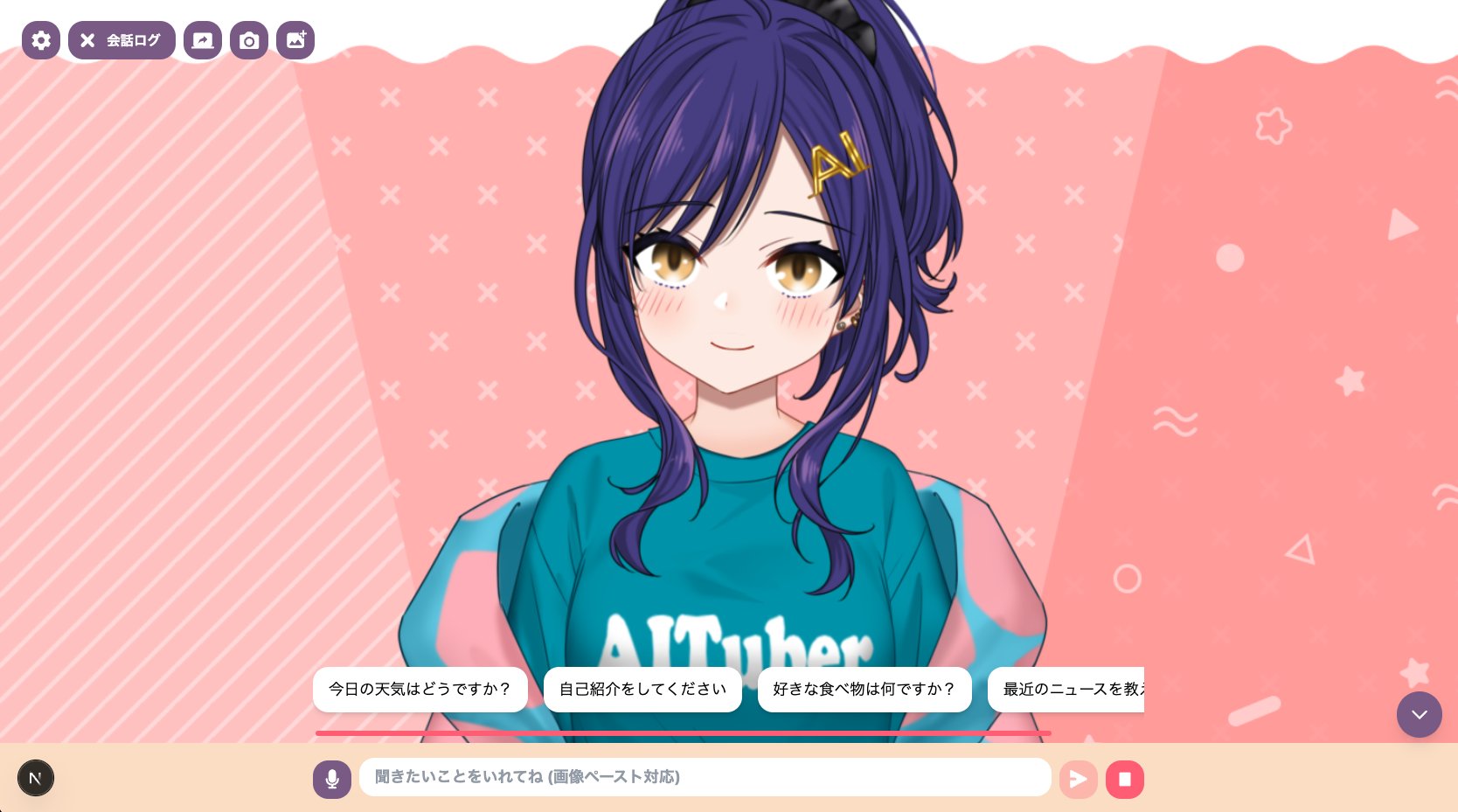
As it happens, I'm the creator of AITuberKit, a development tool for AI characters. It's an all-in-one toolkit that launches a browser app with just a few commands, letting you interact with a character after configuring a few settings on screen.
I've been developing it for about two years now, and I hear from people using it in all sorts of contexts. I'm truly grateful for that.
However, as someone who's been building this kind of development tool, let me say this plainly: the program that powers your AI character should be built by YOU — the person creating that character. Not with AITuberKit.
The Reason is Simple: You Can't Build Your Ideal Character Otherwise
When you first decide to create an AI character, your imagination runs wild:
"I want to chat with my own character every day."
"It'd be amazing to have them interact with viewers in real-time on a livestream."
"If I could have one living in my Discord server keeping things lively, that'd be the dream."
So naturally, you go looking for existing AI character tools.
"Hmm, this tool is missing this feature I need."
"That tool has one great feature, but everything else falls short."
"This one looks promising, but it seems like it's no longer maintained..."
That's right — the perfect AI character tool for your vision simply doesn't exist. I'll say it definitively: there is no tool that fulfills 100% of what you want.
On top of that, when multiple people use the same tool, their characters inevitably end up looking and behaving similarly. If your whole goal is to create a unique character, losing that individuality defeats the purpose.
Even If You Found the Perfect Tool
Let's say you found a tool that matches your ideal. "This is the one — I'll build my AI character with this!"
But here's the thing: AI character development always makes you want to add more features.
"I wish this feature existed, but since my chosen tool doesn't have it, I guess I'll give up."
"The latest update added a new feature, but it's not what I was looking for..."
"I want to tweak this behavior slightly, but it's baked into the tool's design and I can't change it..."
And then you circle back to the original problem.
There is no AI character tool that fulfills your ideal vision.
What's more, you can't even be sure how long that tool will be around. Development could stall, it might suddenly go paid, or the roadmap could shift and the features you rely on get removed. Depending on someone else's tool means handing over the fate of your character to someone else.
Build Your Own AI Character Tool!
So we've got a problem. What's the solution?
If the ideal tool doesn't exist, build it yourself!
From scratch! Build your own AI character tool!
And there's the title payoff.
"Wait, wait — what about people with zero programming experience!?" I hear you say.
Here's the thing: thanks to advances in generative AI, we've reached a point where you can build tools without writing a single line of code yourself.
As long as you have the passion, anyone can turn their ideas into reality. What an amazing time to be alive.
So now you have absolutely no excuse not to build your own AI character tool.
So How Do You Actually Build One?
I'm sure many of you are wondering about that.
Don't worry — I'm not going to just say "Good luck everyone! I'll be rooting for you!" and walk away. I'm not that heartless.
So from here on, I'll give you a straightforward walkthrough of how to create an AI character.
If you're someone who already uses AI for development, what follows will seem pretty obvious, so feel free to skip ahead. I'll be looking forward to seeing your AI characters pop up on my timeline.
Start by Getting a Feel for Things with AITuberKit
From this point on, I'll be using the AITuberKit I mentioned earlier as a reference. Some of you might be thinking, "Wait, so you ARE using an existing tool after all."
The thing is, it's faster to get a grasp of the big picture using an existing tool than to start from a completely blank slate.
This guide is aimed at programming beginners, so I'll keep the technical jargon to a minimum (though even those with a little programming knowledge should find it useful).
That said, I'll be assuming you're using an AI coding agent like Claude Code, so if you haven't tried one yet, go get set up with that first.
You simply can't develop without one. Besides Claude Code, there's also Codex, Antigravity, Cursor, and others — pick whichever you prefer.
Note: You can substitute "AITuberKit" with any other tool in the instructions below. Any AI character development tool works with the same process. Here are some well-known alternatives:
- AIRI @proj_airi https://github.com/moeru-ai/airi
- aiavatarkit @uezochan https://github.com/uezo/aiavatarkit
Setup
First, clone AITuberKit. If you want to manage it with git in your own environment, forking works too.
git clone https://github.com/tegnike/aituber-kit.git
# git clone git@github.com:tegnike/aituber-kit.git
Navigate to the project directory.
cd aituber-kitLaunch Claude Code with the claude command.
If you're using Cursor or similar, just have the aituber-kit folder open in the Cursor window.
Let's start by setting up the app.
You could read the README.md, but asking the AI is faster.
"Can you show me how to set up this app?"
Follow the steps it gives you to get things running.
In many cases, the AI can even handle the setup for you, so feel free to just ask.
By the way, for AITuberKit specifically, just run npm install && npm run dev and open http://localhost:3000.
Understand the Features
Once it's up and running, start by exploring what features are available.
Getting a feel for what an AI character can actually do is important.
For any features you don't understand, asking the AI is the way to go.
"What does the XX feature in the settings do?"
"I want this kind of feature — is it implemented in this app?"
"Can you explain how this feature works in detail?"
Keep doing this until you've built a solid mental picture of how AI characters work and what you'll need to implement.
Talk with the AI until you're satisfied.
Three Options
Once you have a clear vision for your AI character tool, your next move is one of these three:
- Use AITuberKit as-is
- Modify AITuberKit to suit your needs
- Build something entirely new
1. Use AITuberKit As-Is
If it already has everything you need, go ahead and use it as-is.
There's no need to force yourself into development.
However, as I mentioned earlier, you'll almost certainly find it insufficient at some point, and you'll end up going with option 2 or 3.
For what it's worth, even I — the developer — don't use this tool as-is.
The open-source version has its limitations, so I typically use a personally modified version.
2. Modify AITuberKit
If there's a feature you want that the tool doesn't have... build it. Just modify the tool. With AI, it's totally doable.
"I want this kind of feature. Can you help me put together an implementation plan?"
Today's AI coding agents are incredibly capable. As long as you can put together a solid plan, they'll build something that actually works.
Different AI coding agents have different best practices for planning, so try searching for something like "Claude Code plan mode" to learn more.
One thing to keep in mind: pay attention to the license of the tool you're modifying.
AITuberKit is free for personal use, but generally requires a license for commercial use. Check the license documentation for details.
3. Build Something Entirely New
Ultimately, this is where most people will end up.
Build everything from scratch. It might sound daunting, but I've seen plenty of non-programmers building AI characters on X, so it's definitely not impossible.
Here's how: take what you learned from exploring AITuberKit and your conversations with the AI, and create a design document for the tool you want to build.
"Design document" sounds fancy, but you can just have the AI create it for you.
"I want text chat on Discord."
"I want the character to remember past conversations."
"Voice responses would be incredible."
Tell the AI everything, and it'll figure out what technologies and systems you'll need.
Once the design document is ready, have the AI coding agent implement it.
Make sure to test things as you go, building incrementally.
The joy of completing your very own original AI character tool is something truly special.
Summary
Here's the overall flow for AI character development:
- Explore an existing AI character tool to understand how things work
- Solidify your ideal vision
- Build it together with an AI coding agent
As long as you have the passion, you can create your very own AI character — even with zero programming experience.
I can't wait to see all of your original AI characters filling up my timeline!